



- Programmatic native ads follow the visual style and content flow of the platform where it appears.
- Programmatic technology lets buyers access native inventory through DSP and SSP auctions instead of direct deals only.
- Common formats include in-feed units, recommendation widgets, in-app placements, and promoted product listings.
- Native works well for content-led sites, mobile users, awareness campaigns, and brand-sensitive categories.
- Display remains useful for rapid reach, remarketing, urgent offers, and bold creative messages.
- Strong native campaigns need clear labels, suitable assets, shared measurement rules, and compatible OpenRTB Native fields.
- BidsCube supports native inventory across its DSP, SSP, and White Label AdExchange products.
Table of Contents
Most banner placements are ignored. The Native Advertising Institute cites research associated with Sharethrough and IPG Media Lab showed that native units received 53% more views than traditional display ads. Banner blindness means missed rectangles make familiar rectangles. This behavior, known as banner blindness, makes familiar rectangles easy to miss. Native advertising takes another route. It follows the layout and content style of a site or app, while still carrying a clear advertising label.
Programmatic technology adds automated buying to the format. Buyers bid through a DSP, while publishers offer inventory through an SSP. The winning assets then appear inside the publisher’s native ad template.
What Is Programmatic Native Advertising?
Programmatic native advertising is the automated purchase and sale of native inventory through a DSP, SSP, ad exchange, or another programmatic connection. The advertiser supplies separate assets, such as a headline, an image, a brand name, a description, and a call to action. The publisher’s system arranges those assets within an approved local design.
This setup separates the advertising message from the final layout. A standard banner often arrives as a finished image or HTML unit. A native response usually carries components. The publisher controls their placement, size, fonts, spacing, and disclosure style.
- Traditional native buying often relies on direct publisher agreements or specialist recommendation networks.
- Programmatic buying puts the transaction in an automated auction, and provides access to more supply and demand.
The phrase native ads programmatic buying describes this combination of asset-based creative and automated media trading. It brings speed and scale, but not reviews, disclosures, or quality controls.
See how native fits beside display, video, audio, rich media, and DOOH in Top 6 Programmatic Advertising Formats.
How Automated Native Buying Works: Step by Step
The full transaction can happen in a fraction of a second. Several systems still need to agree on the request, assets, price, and rendering rules.
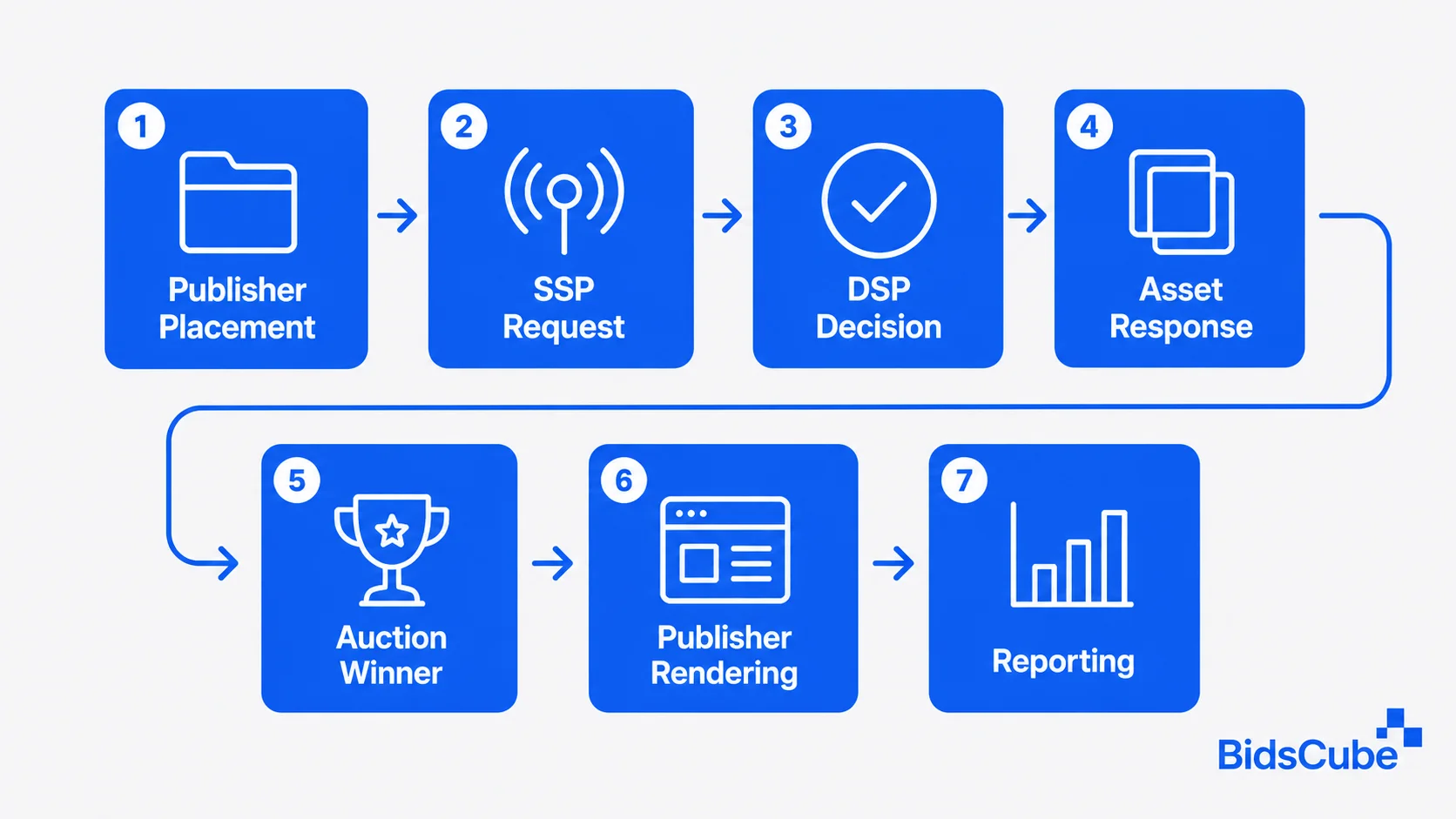
Step 1: The Publisher Defines a Native Placement
A publisher creates a slot inside a feed, article page, app screen, or product list. The SSP holds requirements regarding image ratio, title length, description length, icon size, disclosure, and event tracking.
Step 2: The SSP Sends a Bid Request
Once a user lands on the page or app, the SSP initiates the auction. Such a request includes the impression, device and context data, privacy signals, price floor, and the needed assets. IAB OpenRTB guidance provides the industry framework for automated impression-level trading.
Step 3: The DSP Evaluates the Opportunity
The DSP compares the request with active campaign rules. It checks audience criteria, location, device, content category, budget, frequency, bid limits, and available creative.
Step 4: The DSP Returns a Bid and Assets
A qualified response includes the bid price and requested components. These may include a title, image, logo, body text, landing page, sponsored label, and tracking data.
Step 5: The SSP Selects a Winner
The SSP or exchange compares valid bids. It applies auction rules, price floors, deal priority, and quality checks. The winning response moves to the publisher environment.
Step 6: The Publisher Renders the Unit
The site or app places the assets into its native template. The same campaign may look different across publishers because each publisher controls its own layout.
Step 7: Both Sides Measure Results
Advertisers review CTR, post-click behavior, conversions, and the quality of the placement. Publishers analyze the impact on revenue, fill, viewability and the content experience.
In order for one stage of the process to flow to the next, structured data needs to be passed correctly through the publisher, SSP, DSP and through the exchange. The tonality of native ads should remain the same and the publisher ecosystem will easily scale with native if you have similar asset rules, auction logic and tracking.
Types and Formats of Native Advertising
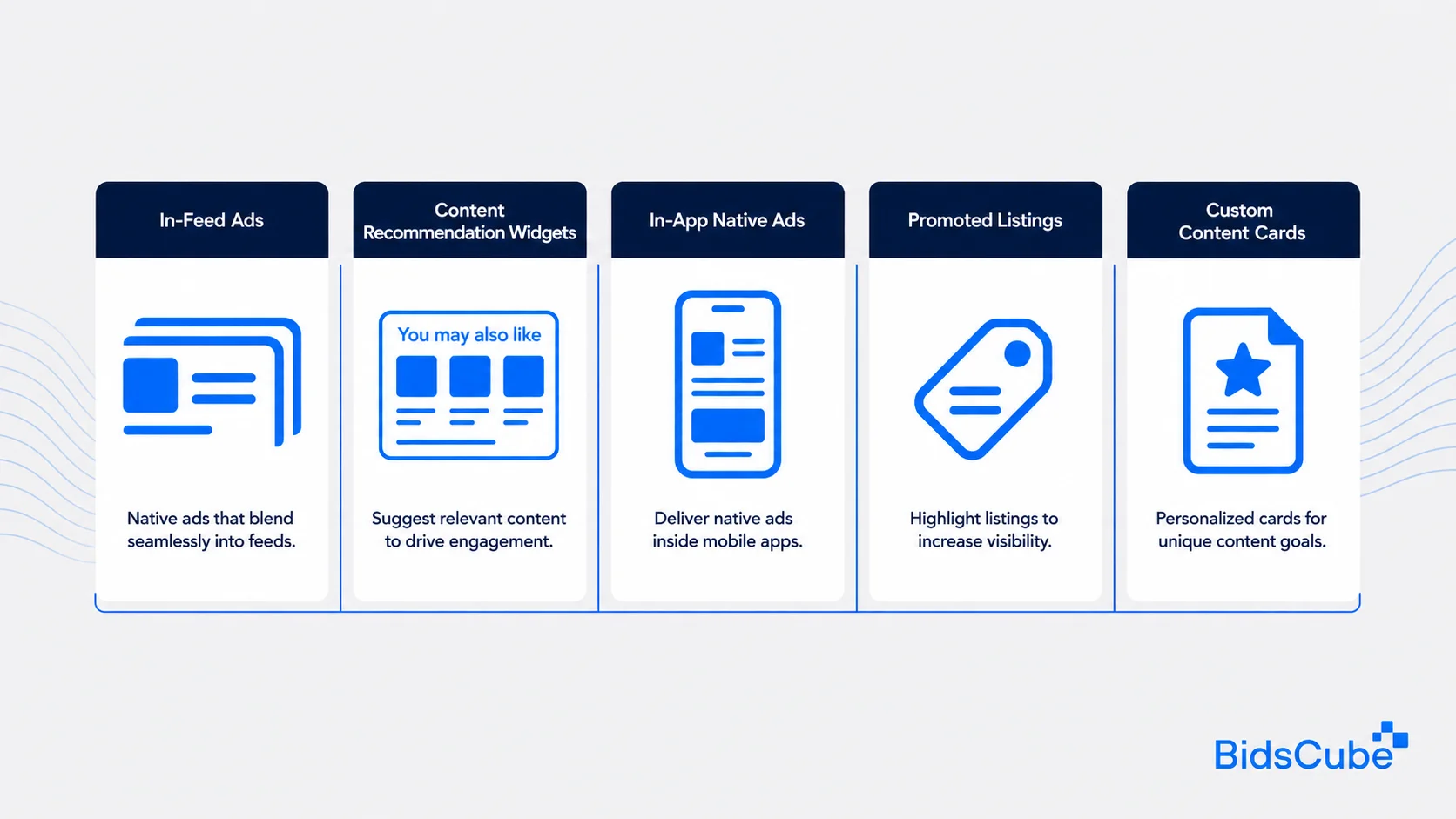
Native ad formats differ by environment, but all aim to fit the surrounding experience.
- In-feed ads. These units appear inside a social feed, news stream, or content list. They use a card structure similar to organic posts, plus a sponsored label.
- Content recommendation widgets. A content recommendation widget usually appears below or beside an article. It presents sponsored stories or offers inside a “You may also like” block.
- In-app native ads. These units follow a mobile application’s interface. They can appear in content feeds, game menus, utility screens, or product lists. The In-App Advertising Guide covers more app placement options.
- Promoted listings. E-commerce sites place sponsored product cards among organic search or category results. The listing matches the grid but carries a promoted label.
- Custom content cards. Some publishers create units for reports, guides, quizzes, or lead-generation assets. These formats need clear asset and disclosure rules.
The term native programmatic ads covers these formats when automated systems handle the transaction. The appearance changes by publisher, but the buying path still connects demand, supply, and auction logic.
When to Use Native Advertising vs. Standard Display
The choice should follow the campaign goal and user context. Neither format wins every time.
| Scenario | Choose Native When | Choose Display When |
| Content-heavy websites | The ad should fit articles, feeds, or recommendations | The message needs a visible break from editorial content |
| Mobile-first audiences | The unit must adapt to small screens and app interfaces | A standard mobile banner or interstitial fits the goal |
| Upper-funnel awareness | The brand wants attention without interrupting reading | The brand needs broad, immediate reach |
| Complex products | The message needs context before the click | A short offer can carry the full message |
| Brand-sensitive categories | Visual and contextual fit protect the page experience | Strong separation between ad and content matters more |
| Remarketing | Useful content can bring the reader back | A product reminder, discount, or deadline must stand out |
| Existing assets | Separate images and copy can feed several templates | A library of finished banner sizes already exists |
Native is often a strong fit for news, finance, business, technology, lifestyle, and other content-led environments. It also suits mobile products because asset-based layouts can adjust to smaller screens.
Display makes more sense when speed and visual impact matter. It remains effective for short promotions, product reminders, and wide reach across standard inventory.
If you are comparing the strengths of both formats in more detail, see Native Advertising vs. Display Advertising: Which One Performs Better? for a side-by-side breakdown of use cases, performance, and campaign goals.
Some teams run programmatic display native ads in one media plan. Native introduces a subject through useful content, while display supports recall and conversion later in the journey.
Benefits of Automated Native Advertising
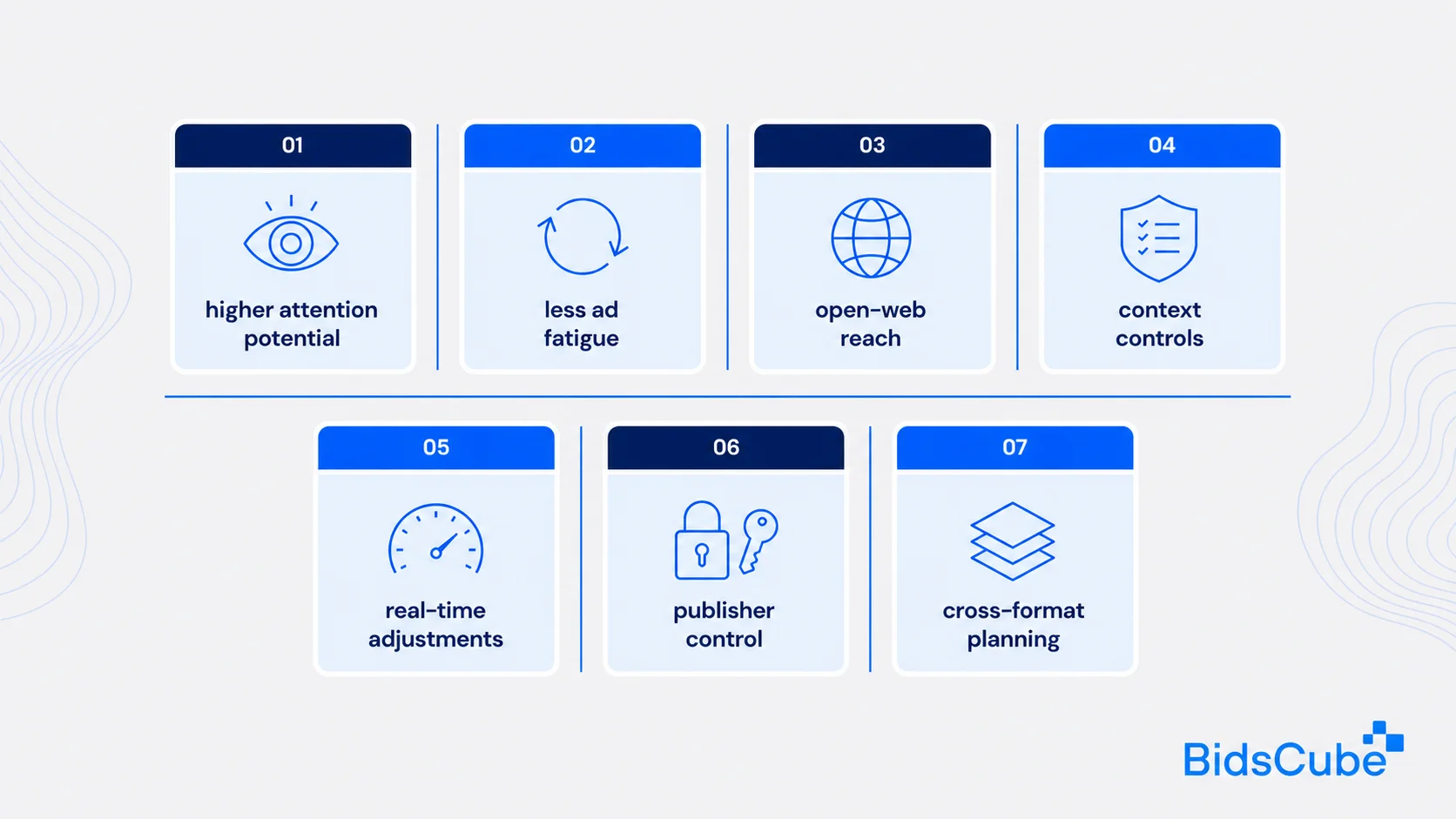
Programmatic delivery gives native media the reach and control once associated mainly with standard display.
- Higher attention potential. Native units sit inside the user’s normal content path. A relevant headline and landing page can support stronger engagement and CTR.
- Less ad fatigue. Publishers can render the same asset set within different layouts. Frequency limits and creative rotation still remain important.
- Open-web reach. Buyers can access inventory from many publishers without arranging every placement as a separate direct deal.
- Context controls. Buyers can use categories, allowlists, blocklists, and private deals to select more suitable environments.
- Real-time adjustments. Teams can change bids, budgets, targeting, creative variants, and supply choices while the campaign runs.
- Publisher control. Publishers keep authority over templates, disclosure, placement rules, and accepted assets.
- Cross-format planning. Buyers can combine native with display, video, and audio across the funnel.
Automated native advertising combines wider publisher access with stronger controls over context, frequency, creative, and supply. Its results still depend on clear disclosure, relevant assets, and a strong post-click page.
Build a Native Buying Path
Use the BidsCube DSP to manage targeting, bids, budgets, creative assets, and real-time campaign decisions across supported inventory.
Challenges and Limitations
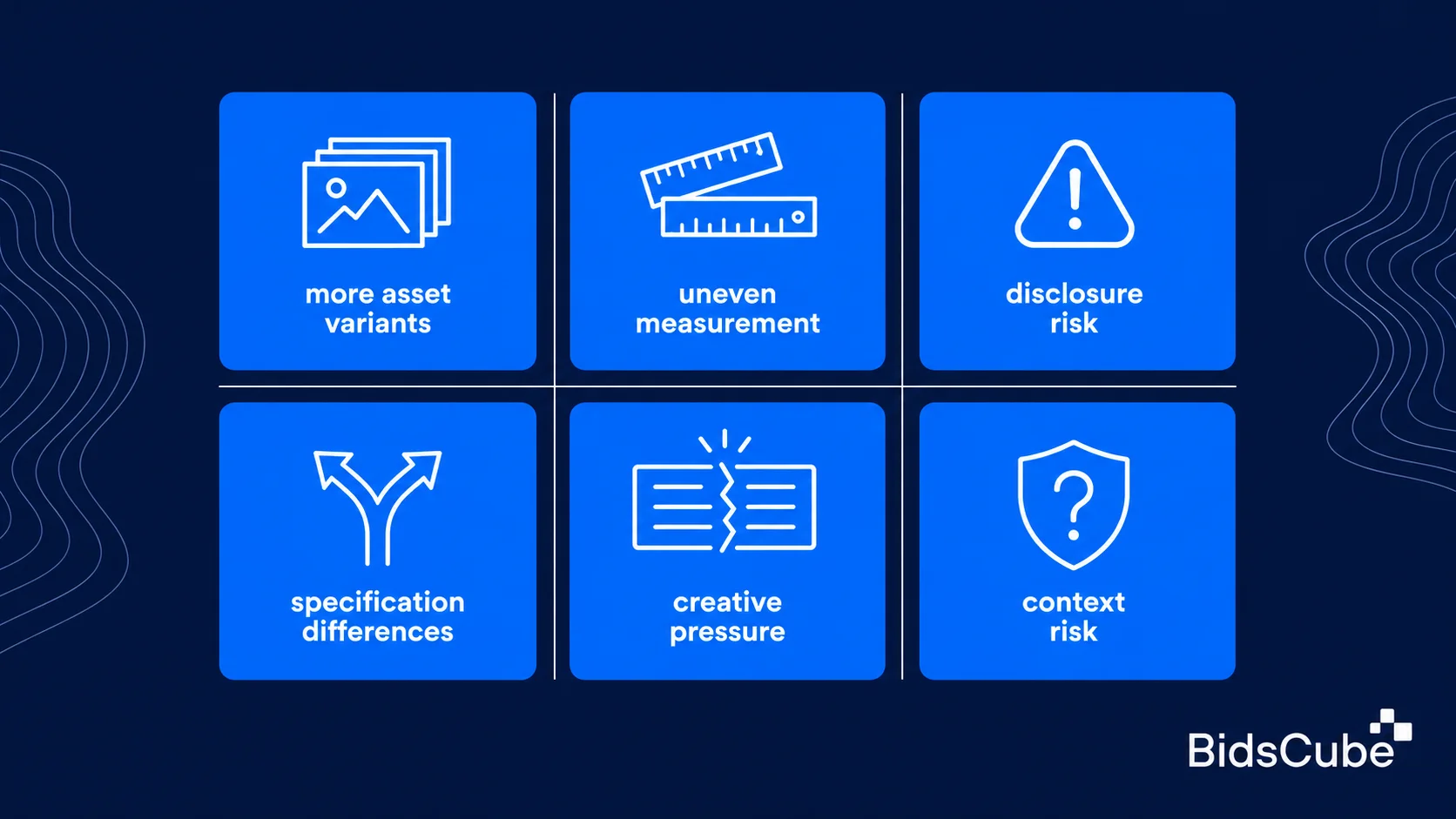
Native media solves some display problems, but it creates other operational demands.
- More asset variants. Publishers may request different image ratios, title limits, icon sizes, and descriptions. One asset set may not fit every template.
- Uneven measurement. Viewability and rendering behavior differ across feeds, widgets, apps, and product listings. Teams need shared definitions before comparing results.
- Disclosure risk. Native should fit the environment without pretending to be editorial content. Labels such as “Sponsored,” “Promoted,” or “Advertisement” must stay visible.
- Specification differences. SSP partners may support different OpenRTB Native versions, optional fields, trackers, or asset rules.
- Creative pressure. Weak headlines and mismatched landing pages can waste accurate targeting.
- Context risk. A suitable template can still appear beside unsuitable content. Buyers need quality review, category controls, and partner lists.
The second use of native ads programmatic buying can give teams the wrong impression that automation fixes every delivery issue. Automation speeds up the auction. It cannot repair unclear labels, poor inventory, weak creative, or broken reporting.
How BidsCube Can Help
BidsCube connects advertiser and publisher workflows through a DSP, SSP, and White Label AdExchange. Each product lists native among its supported formats.
- The BidsCube DSP gives advertisers campaign settings, targeting, budget controls, real-time data, and bidstream access. Teams can manage native beside display, video, and audio within one buying environment.
- The BidsCube SSP helps publishers manage native inventory across desktop, mobile, and app environments. Publishers can set monetization rules, manage demand connections, review reports, and control accepted formats.
- The BidsCube White Label AdExchange connects supply and demand through OpenRTB-based trading. It supports native, banner, video, and audio, along with reporting, bidstream access, quality controls, and partner management.
- For native projects, the BidsCube team can configure OpenRTB native connections and template requirements around the selected partner setup. Integration checks should cover specification versions, required assets, optional fields, event trackers, and rendering behavior.
- A mixed setup can use programmatic display native ads for different jobs. Native can support content-led discovery, display can handle remarketing, and video can build wider awareness.
Teams can also review the company’s Clutch profile as part of vendor checks before discussing integration requirements.
Expert View
Native advertising depends on more than auction access. Creative fit, publisher control, clear disclosure, and post-click quality all shape campaign performance.
Native works best when the creative has a clear role and the publisher keeps control of the experience. The auction brings scale, but relevance, disclosure, and post-click quality decide whether the campaign creates value.
Roman Vasyukov, CEO and Founder of BidsCube
The quote highlights a practical balance: programmatic buying expands reach, while relevance and user trust determine whether the campaign works.
Final Thoughts
Native advertising combines content fit with automated media buying. It works well for content-heavy pages, mobile interfaces, awareness campaigns, and offers that need more context than a banner can provide.
Display still matters for rapid reach, remarketing, and urgent promotions. Many teams will get clearer results by giving each format a separate job.
Start with tested assets, visible disclosure, placement rules, and shared measurement definitions. Then use live data to adjust bids, creative, and supply choices.
See how BidsCube supports native, display, video, and audio across connected programmatic products. Contact us for more information.
Our tech staff and AdOps are formed by the best AdTech and MarTech industry specialists with 10+ years of proven track record!

FAQs
What Are Programmatic Native Ads?
A flow of listings from DSPs, SSPs and ad exchanges offer both selling and buying of native placements based on asset-based creative automated auctions. The publisher renders the winning assets inside an approved local template.
How Does Automated Native Buying Work?
An SSP sends a bid request with placement and asset requirements. The DSP determines the impression, returns a bid and creative components, and the publisher renders the winning unit.
How Does Programmatic Buying Differ From Traditional Native Advertising?
Programmatic buying employs automated auctions, targeting, and real time reporting across a large array of supply sources. On the other hand, conventional native advertising tends to depend on either direct contracts or particular networks with more hands-on negotiation.
When Should I Use Native Ads Instead of Standard Display?
Use native when content fit, mobile adaptation, context, and a less intrusive experience matter most. Use display for immediate visibility, standard creative sizes, urgent offers, or direct remarketing.
What Are the Main Native Formats?
The main formats are in-feed placements, content recommendation widgets, in-app units, promoted listings, and custom sponsored content cards. Each format needs publisher-controlled rendering and clear advertising disclosure.
Can Native Ads Work With Other Programmatic Formats?
Native programmatic ads can run with display, video, audio, and other formats in one media plan. Give each format a separate role, then compare business results rather than CTR alone.


